 Family Calendar
One Calendar.
Every Device in the Household.
Everyone plans from their own phone, tablet or browser – and you all see the same week. Next to your personal calendar, not instead of it.
No payment details · Cancel anytime

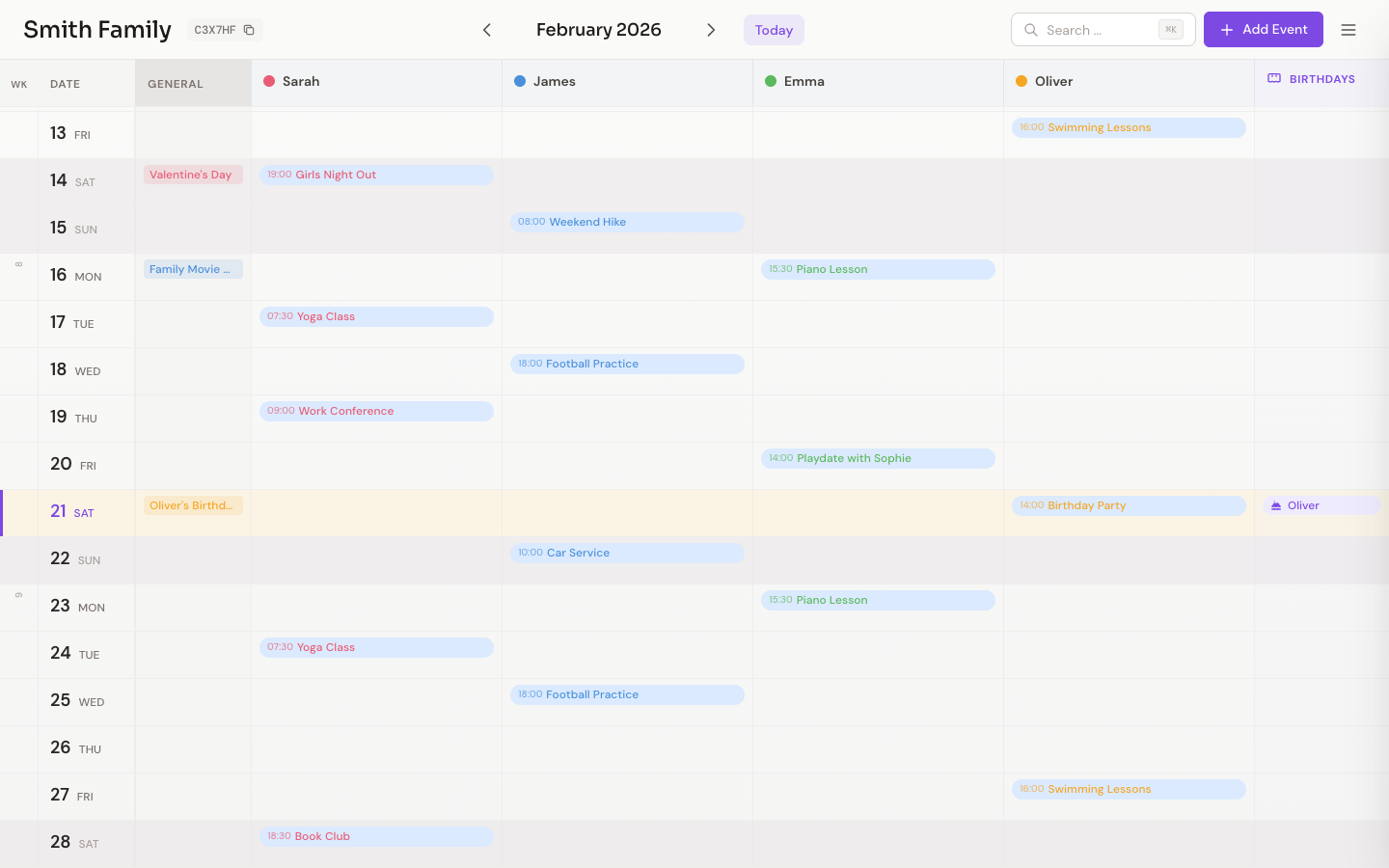
From the kitchen wall to everyone's phone.
One calendar everyone keeps
For households that have to coordinate: parents and kids, couples, flatshares, families across two homes. Everyone uses their own device.
Everyone Adds Events – From Their Own Device
Phone, tablet, browser: every family member plans from wherever they are. What the others added is there the next time you open it.
In With One Link
Send an invite link – whoever opens it is in. Or use the 6-character family code, which an admin device approves. Nobody needs an account.
All Events, All People
Every family member gets their own column with a unique color. See at a glance who has what and when.
Create Events in Seconds
Quickly create an event, assign the people involved, done. As simple as it should be.
How It Works
Create a Calendar
Enter a name – done in 10 seconds. No account, no email address.
Add the Family
List who belongs to the household. Each person gets their own color and column.
Share the Invite Link
Send the link to your family in a message. Whoever opens it is in right away.
Plan Together
From there, everyone adds events from their own phone or in the browser – and you all see the same week.
Simple Pricing
Like your wall calendar – once a year, done.
30 days free – no payment details, cancel anytime.
- Whole family included
- Unlimited devices
- Auto Sync
- All future updates
- iOS app included
One price for the whole family. No extra charge per person or device.
Frequently Asked Questions
Does it replace my own calendar?
No. Family Calendar is the household's shared calendar – for the appointments that concern everyone. Your work or personal calendar stays where it is: Family Calendar sits next to it and never touches it. There is no connection to Apple or Google calendars.
How does my partner join?
Two ways. Either you create an invite link and send it in a message – whoever opens it is in right away, with nothing to approve. The link is valid for 7 days. Or you use the 6-character family code: the new device requests access with it, and an admin device lets it in.
Do I need an account?
Not for the calendar itself – you create a family calendar and get an invite link and a 6-character family code. No password, no email address per person. For the subscription, an email address is needed through our payment provider.
Do I need a credit card for the free trial?
No. Your 30-day trial starts automatically when you create your family calendar – no payment details required. You only subscribe (€17.99/year) once you decide to continue.
Which devices does the app support?
Family Calendar runs as a web app in all modern browsers (Chrome, Safari, Firefox, Edge) – on desktop, tablet, and phone – and as a native app for iPhone and iPad from the App Store. Every family member picks what they plan with, and there is no limit on the number of devices.
How secure is my data?
Your data is encrypted in transit and stored on servers in the EU. There are no ads, no cookies, and no cross-site tracking – and your data is never shared with advertising services. A device gets into the calendar only through an invite link an admin created, or through the family code with approval from an admin device. Invite links expire after 7 days and can be withdrawn at any time.
Can I use the calendar on an older iPad?
Yes! The web app works in any modern browser. Just open the web app in Safari and add it to your home screen.
What happens if I lose my phone?
When creating your calendar, you receive a recovery code. With it, you can restore access on a new device at any time.
Ready for one calendar the whole household keeps?
30 days free – no payment details needed. Create the calendar, share the invite link, get going.